

sibling-index() and sibling-count()
For years, CSS had no way of knowing which position an element had among its siblings, or how many siblings there were. Now it does. With sibling-index() and sibling-count() you can finally get the item index and item count directly in CSS.
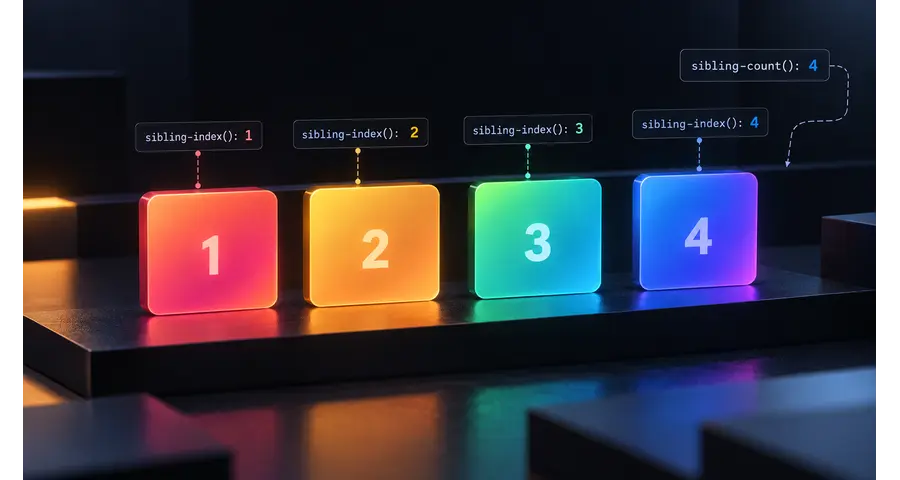
sibling-index()returns the element's position among its siblings, starting at1.sibling-count()returns the total number of siblings, including the element itself.
How we used to do it
Before these functions existed, the only option was to number everything by hand. You had to put the total count on the parent and an index on every child, using inline custom properties.
HTML
<div class="parent" style="--n: 4;">
  <div class="child" style="--i: 1;"></div>
  <div class="child" style="--i: 2;"></div>
  <div class="child" style="--i: 3;"></div>
  <div class="child" style="--i: 4;"></div>
</div>
CSS
.parent {
  display: flex;
  gap: 1em;
  max-inline-size: 40rem;
  margin-inline: auto;
  .child {
    aspect-ratio: 1;
    flex: 1;
    background: hsl(calc(360 / var(--n) * var(--i)) 100% 50%);
  }
}
This works, but it is tedious. Every item needs its own --i, and the moment you add or remove an item, you have to update --n and renumber the rest.
The new way
With sibling-index() and sibling-count(), all of that manual work disappears. The HTML is just plain markup, and the CSS figures out the rest on its own.
Here is the same example again: a unique background color for every item, based on its index.
HTML
<div class="parent">
  <div class="child"></div>
  <div class="child"></div>
  <div class="child"></div>
  <div class="child"></div>
</div>
CSS
.parent {
  display: flex;
  gap: 1em;
  max-inline-size: 40rem;
  margin-inline: auto;
  .child {
    aspect-ratio: 1;
    flex: 1;
    background: hsl(calc(360 / sibling-count() * sibling-index()) 100% 50%);
  }
}
The hue is 360 / count * index, so the colors are spread evenly around the color wheel. Add a fifth child and every hue adjusts automatically.
Using them as custom properties
You can also store the functions in custom properties, which keeps your code shorter if you use them in many places.
CSS
:root {
  --n: sibling-count();
  --i: sibling-index();
}

.parent {
  display: flex;
  gap: 1em;
  max-inline-size: 40rem;
  margin-inline: auto;
  .child {
    aspect-ratio: 1;
    flex: 1;
    background: hsl(calc(360 / var(--n) * var(--i)) 100% 50%);
  }
}
Where are they counted?
You might expect --n and --i to be calculated on :root, since that is where they are defined. They are not. sibling-index() and sibling-count() count the items where the variable is used, not where it is defined.
In this example the variables are defined on :root, but they are used on .child. So they count each .child item, not the root.
This is what makes it possible to define them once on :root and reuse them everywhere.
See it in action
The first example keeps things simple: each item gets a color based on its position in the group. Add or remove .child elements and both sibling-index() and sibling-count() update automatically.
In another example, the same idea can drive much more than colors. Here, the sibling position determines each box's angle, distance from the center, rotation, color, and animation delay.
Change the number of .box elements and the entire 3D arrangement adapts to it.